Projects and De-identification Secrets
This page lists all projects configured in Karnak and lets you create, edit, and delete them. A project is linked to a profile and contains a secret used for de-identification.

1. Create a project
To create a new project:
- Click the New project button to open the creation popup.
- Enter a name.
- Select a profile.
- Click Add.
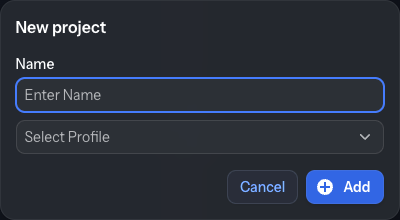
The project is added to the list and its details appear in the right panel.
2. Create a group
When the list grows, you can organize projects into groups (a single level of folders).
Click Add group to create one, drag a project onto a group to assign it, and right-click a group or project
to rename, delete or remove it from its group. Grouping is purely organizational and is
described in more detail on the Gateway page.
3. Project list
All available projects are listed in the left panel.
Selecting a project displays its details on the right.
4. Project details
In the details view you can:
- Change the project name.
- Change the de-identification profile.
Click Update to save your changes.
5. Project secret
The project secret is central to Karnak’s de-identification process.
It is a 16-byte value written as 32 hexadecimal characters.
- A secret is automatically generated when the project is created.
- In the details view, the secret is shown along with its creation date and time.
You can generate a new secret by clicking Generate Secret, or type/paste your own 32-character hexadecimal value into the secret field. When you do this:
- Previous secrets are kept in the database.
- You can select any previous secret to use again.

Warning
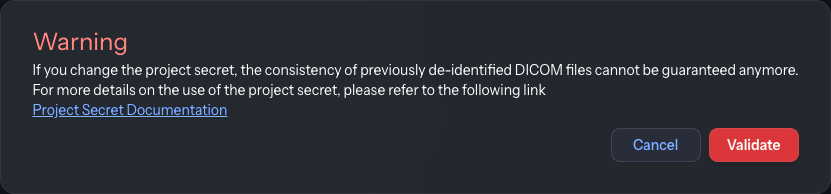
Changing the project secret can cause data consistency issues between old and new de-identified DICOM instances. Use this feature with caution and only when necessary.
Since this modification can break the de-identification process, a warning is displayed to confirm this change.
A destination is associated with a project for de-identification, as described in the Destination configuration.
To generate new values like UIDs and pseudonymize some patient information, Karnak uses a hash function seeded with the project secret. This makes the generated values unique per project and deterministic as long as the secret does not change.
Implications of changing the secret:
- If a DICOM instance is de-identified twice using the same project, secret, and profile, the resulting de-identified instances are identical.
- If the secret changes, de-identifying the same DICOM instance again with the same project and profile but the new secret will produce different de-identified instances.
Details about the algorithm and UID generation using the project secret are available here.
6. Action buttons
- Click Update to save any change made to a project. If the project is already used by a destination, a confirmation is requested before the change is applied.
- Click Delete to delete the selected project.
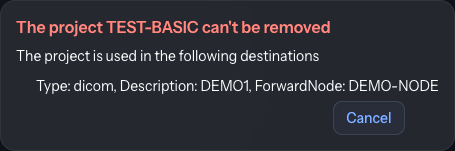
If the project is associated with a destination, deletion fails and an error message is displayed.